 HolySnap
Capture the page with HolySnap (Full page), then choose Download → PDF. You get the page exactly as it looks, split into A4 pages — or as one long PNG.
Way 1: Chrome's Print to PDF
- Open the print dialogPress Ctrl P (Cmd P on a Mac) on the page.
- Set Destination to “Save as PDF”Under More settings, turn on Background graphics to keep colors.
- Click Save
Good for: articles and documents where you want selectable, searchable text — Print to PDF keeps the text as text.
Not so good for: pages that should look like the screen. Print re-lays the page out for paper, so columns can shift, menus and backgrounds can disappear, and chats or other scrolling panels print only the part that's visible.
Way 2: Capture it with HolySnap Looks like the page
- Add HolySnap to ChromeFree to start, no account.
- Open the page and choose Full pageOr capture just a section with A–B range.
- In the preview, choose Download → PDFThe capture is split into print-ready A4 pages. Prefer one image? Choose PNG.
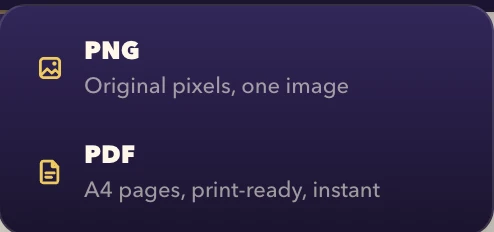
Because it's a capture of the screen, the PDF looks exactly like the page did — designs, dashboards, receipts and chats included. The trade-off: the text in it is part of the image, so it isn't selectable.
Print to PDF vs HolySnap
| HolySnap | Print to PDF | |
|---|---|---|
| Looks exactly like the page | ✓ | Often reformatted |
| Colors & backgrounds | ✓ Always | Only with Background graphics on |
| Long chats & scrolling panels | ✓ Whole thread | ✕ Visible part only |
| Selectable text | ✕ Image | ✓ |
| Also as one long PNG | ✓ | ✕ |
Need to search or copy the text later? Use Print to PDF. Need it to look right — for a client, a record or a design review? Capture it.
Questions
Is the text selectable in a HolySnap PDF?
No. The PDF is a capture of how the page looks, so the text is part of the image. For selectable text, use Chrome's Print to PDF.
What page size are the PDFs?
A4. Long captures are split across as many A4 pages as needed, print-ready.
Can I save a webpage as one long image instead?
Yes. In the preview choose Download → PNG to get the whole page as a single image, or copy it straight to the clipboard.
Why does my printed PDF look different from the website?
Print to PDF re-lays the page out for paper and may leave out backgrounds and some elements. A capture keeps the page exactly as it appears on screen.